Este es un módulo para trabajar con los Socket de Windows, vendría a ser un reemplazo del WinSock.ocx, en este me he basado en el módulo de KPD-Team y lo reformé a mi gusto. Su uso creo, es muy sencillo y práctico, especialmente a la hora de trabajar con múltiples conexiones, si lo utilizan tal vez puedan encontrarse con algunas diferencias con respecto a la forma convencional de trabajo de como se utiliza con el WinSock.ocx.
A continuación voy a dejar dos ejemplos de uso, en el cual expliqué detalladamente, para su fácil entendimiento:
El primero trata de una conexión Cliente-Servidor de tipo Chat donde el Servidor puede escuchar en distintos puertos a la vez y aceptar varias conexiones al mismo tiempo, para la parte Cliente también puede realizar más de una conexión y en diferentes puertos a la vez.
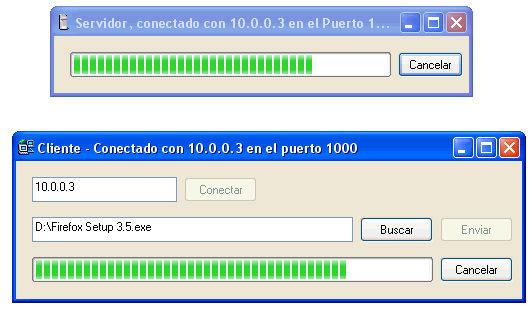
El segundo se trata de una conexión Cliente-Servidor para Transferir Archivos.
Una cosa para resaltar, si es que lo van a usar, es que deben agregar manualmente las subrutinas comentadas en el final del módulo al formulario o módulo clase que llame a la función InitWinSock Me del módulo WinSock32.
No lo he probado a full, pero creo que está funcionando perfectamente, cualquier inquietud, sugerencia o error pueden utilizar el sistema de comentarios.
Option Explicit

' --------------------------------------------------------------------
' Autor:     Leandro Ascierto
' WEB:       www.leandroascierto.com.ar
' Fecha:     09/07/2009
' Adaptado a mi gusto :)
' Basado en el módulo de KPD-Team  http://www.allapi.net/
'----------------------------------------------------------------------

Private Declare Function accept Lib "wsock32.dll" (ByVal s As Long, addr As SOCKADDR, addrlen As Long) As Long
Private Declare Function bind Lib "wsock32.dll" (ByVal s As Long, addr As SOCKADDR, ByVal namelen As Long) As Long
Private Declare Function closesocket Lib "wsock32.dll" (ByVal s As Long) As Long
Private Declare Function Connect Lib "wsock32.dll" Alias "connect" (ByVal s As Long, addr As SOCKADDR, ByVal namelen As Long) As Long
Private Declare Function htonl Lib "wsock32.dll" (ByVal hostlong As Long) As Long
Private Declare Function htons Lib "wsock32.dll" (ByVal hostshort As Long) As Integer
Private Declare Function inet_ntoa Lib "wsock32.dll" (ByVal inn As Long) As Long
Private Declare Function Listen Lib "wsock32.dll" Alias "listen" (ByVal s As Long, ByVal backlog As Long) As Long
Private Declare Function recv Lib "wsock32.dll" (ByVal s As Long, buf As Any, ByVal buflen As Long, ByVal Flags As Long) As Long
Private Declare Function Send Lib "wsock32.dll" Alias "send" (ByVal s As Long, buf As Any, ByVal buflen As Long, ByVal Flags As Long) As Long
Private Declare Function Socket Lib "wsock32.dll" Alias "socket" (ByVal af As Long, ByVal s_type As Long, ByVal protocol As Long) As Long
Private Declare Function gethostbyname Lib "wsock32.dll" (ByVal host_name As String) As Long
Private Declare Function gethostname Lib "wsock32.dll" (ByVal host_name As String, ByVal namelen As Long) As Long
Private Declare Function WSAStartup Lib "wsock32.dll" (ByVal wVR As Long, lpWSAD As WSADataType) As Long
Private Declare Function WSACleanup Lib "wsock32.dll" () As Long
Private Declare Function WSAIsBlocking Lib "wsock32.dll" () As Long
Private Declare Function WSACancelBlockingCall Lib "wsock32.dll" () As Long
Private Declare Function inet_addr Lib "wsock32.dll" (ByVal cp As String) As Long
Private Declare Function WSAAsyncSelect Lib "wsock32.dll" (ByVal s As Long, ByVal hWnd As Long, ByVal wMsg As Long, ByVal lEvent As Long) As Long
Private Declare Function SetWindowLong Lib "user32" Alias "SetWindowLongA" (ByVal hWnd As Long, ByVal nIndex As Long, ByVal dwNewLong As Long) As Long
Private Declare Function CallWindowProc Lib "user32" Alias "CallWindowProcA" (ByVal lpPrevWndFunc As Long, ByVal hWnd As Long, ByVal Msg As Long, ByVal wParam As Long, ByVal lParam As Long) As Long
Private Declare Function CreateWindowEx Lib "user32" Alias "CreateWindowExA" (ByVal dwExStyle As Long, ByVal lpClassName As String, ByVal lpWindowName As String, ByVal dwStyle As Long, ByVal x As Long, ByVal y As Long, ByVal nWidth As Long, ByVal nHeight As Long, ByVal hWndParent As Long, ByVal hMenu As Long, ByVal hInstance As Long, lpParam As Any) As Long
Private Declare Function DestroyWindow Lib "user32.dll" (ByVal hWnd As Long) As Long
Private Declare Function lstrlen Lib "kernel32" Alias "lstrlenA" (ByVal lpString As Any) As Long
Private Declare Function GetTickCount Lib "kernel32.dll" () As Long
Private Declare Sub CopyMemoryIP Lib "kernel32" Alias "RtlMoveMemory" (hpvDest As Any, ByVal hpvSource As Long, ByVal cbCopy As Long)
Private Declare Sub MemCopy Lib "kernel32" Alias "RtlMoveMemory" (Dest As Any, Src As Any, ByVal cb As Long)
Private Declare Sub Sleep Lib "kernel32.dll" (ByVal dwMilliseconds As Long)

Private Type WSADataType
    wVersion As Integer
    wHighVersion As Integer
    szDescription As String * 257
    szSystemStatus As String * 129
    iMaxSockets As Integer
    iMaxUdpDg As Integer
    lpVendorInfo As Long
End Type

Private Type HostEnt
    hName As Long
    hAliases As Long
    hAddrType As Integer
    hLen As Integer
    hAddrList As Long
End Type

Private Type SOCKADDR
    sin_family As Integer
    sin_port As Integer
    sin_addr As Long
    sin_zero As String * 8
End Type

Private Const WINSOCK_MESSAGE As Long = 1025
Private Const INADDR_NONE As Long = &HFFFF
Private Const INADDR_ANY As Long = &H0
Private Const IPPROTO_TCP As Long = 6
Private Const INVALID_SOCKET As Long = -1
Private Const SOCKET_ERROR As Long = -1
Private Const SOCK_STREAM As Long = 1
Private Const AF_INET As Long = 2
Private Const PF_INET As Long = 2
Private Const FD_READ As Long = &H1&
Private Const FD_WRITE As Long = &H2&
Private Const FD_OOB As Long = &H4&
Private Const FD_ACCEPT As Long = &H8&
Private Const FD_CONNECT As Long = &H10&
Private Const FD_CLOSE As Long = &H20&
Private Const GWL_WNDPROC As Long = (-4)

Private PrevProc As Long
Private bIsInit As Boolean
Private hWin As Long
Private m_ObjectHost As Object
Private TimeOut As Long

Public PortOpen  As Collection       ' Colección de los puertos abiertos, tiene como key el ID/Sesión de los puertos Abiertos.
Public PortSesion As Collection      ' Colección de los ID/Sesión de los puertos Abiertos.

Public Sockets As Collection         ' Colección de el ID/Sesión de las Conexiones establecidas.
Public IPAddresses As Collection     ' Colección de las IP de las Conexiones establecidas, tiene como key el ID/Sesión.
Public PortConection As Collection   ' Colección de los Puertos de las Conexiones establecidas, tiene como key el ID/Sesión.

Public CurrentSocketHandle As Long   ' ID de la última sesión activa.

' Esta función inicializa los Socket, debe hallarse al comienzo, y ObjectHost es el formulario o módulo clase que recibirá los Eventos/Mensajes
' En ese formulario o módulo clase deberán ir las líneas comentadas que se encuentran al final de este módulo.

Public Function InitWinSock(ObjectHost As Object) As Boolean
    Dim StartupData As WSADataType
    Set Sockets = New Collection
    Set IPAddresses = New Collection
    Set PortOpen = New Collection
    Set PortSesion = New Collection
    Set PortConection = New Collection

    Set m_ObjectHost = ObjectHost

    If Not bIsInit Then
        If Not WSAStartup(&H101, StartupData) Then
            bIsInit = True
            hWin = CreateWindowEx(0&, "STATIC", "SOCKET_WINDOW", 0&, 0&, 0&, 0&, 0&, 0&, 0&, App.hInstance, ByVal 0&)
            PrevProc = SetWindowLong(hWin, GWL_WNDPROC, AddressOf WindowProc)
        Else
            bIsInit = False
        End If
    End If

    InitWinSock = bIsInit

End Function

' Esta función es importante llamarla cuando se descarga el formulario, nunca cerrar el Visual Basic desde el Stop
' Sino no se ejecutara esta rutina, el IDE de Visual Basic se cerrará automáticamente dando lugar a no guardar los cambios.

Public Sub TerminateWinSock()

    Dim Ret As Long
    Dim Cnt As Long

    For Cnt = 1 To Sockets.Count
        WsClose Sockets.Item(1)
    Next

    For Cnt = 1 To PortSesion.Count
        closesocket PortSesion.Item(1)
        PortSesion.Remove (1)
        PortOpen.Remove (1)
    Next

    If WSAIsBlocking Then WSACancelBlockingCall

    Call WSACleanup

    bIsInit = False
    SetWindowLong hWin, GWL_WNDPROC, PrevProc
    DestroyWindow hWin

    Set Sockets = Nothing
    Set IPAddresses = Nothing
    Set PortConection = Nothing
    Set PortSesion = Nothing
    Set PortOpen = Nothing

End Sub

' Función para conectar, Host es la ip o el dsn a que se quiera conectar, y port el puerto.
' Si conecta la función retorna el ID de la sesión del Socket, de lo contrario 0.

Public Function WsConnect(ByVal Host As String, ByVal Port As Long) As Long

    Dim s As Long
    Dim Sockin As SOCKADDR

    Sockin.sin_family = AF_INET
    Sockin.sin_port = htons(Port)

    If Sockin.sin_port = INVALID_SOCKET Then Exit Function

    Sockin.sin_addr = GetHostByNameAlias(Host$)

    If Sockin.sin_addr = INADDR_NONE Then Exit Function

    s = Socket(PF_INET, SOCK_STREAM, IPPROTO_TCP)
    If s < 0 Then Exit Function

    If Connect(s, Sockin, 16) <> 0 Then
        If s Then closesocket s
        Exit Function
    End If

    If WSAAsyncSelect(s, hWin, ByVal WINSOCK_MESSAGE, ByVal FD_READ Or FD_WRITE Or FD_CONNECT Or FD_CLOSE) Then
        closesocket s
    Else
        IPAddresses.Add GetAscIp(Sockin.sin_addr), CStr(s)
        Sockets.Add s, CStr(s)
        PortConection.Add Port, CStr(s)
        CurrentSocketHandle = s
        WsConnect = s
    End If

End Function

' Función para poner a la escucha en determinado puerto.
' Si no ocurre ningún error y el puerto está disponible, la función retorna el ID de la sesión del Socket, de lo contrario 0.

Public Function WsListenInPort(ByVal Port As Long) As Long

    Dim s As Long
    Dim Sockin As SOCKADDR

    Sockin.sin_family = AF_INET
    Sockin.sin_port = htons(Port)

    If Sockin.sin_port = INVALID_SOCKET Then Exit Function

    Sockin.sin_addr = htonl(INADDR_ANY)

    If Sockin.sin_addr = INADDR_NONE Then Exit Function

    s = Socket(PF_INET, SOCK_STREAM, 0)
    If s < 0 Then Exit Function     If bind(s, Sockin, 16) Then         closesocket s         Exit Function     End If     If WSAAsyncSelect(s, hWin, ByVal WINSOCK_MESSAGE, ByVal FD_READ Or FD_WRITE Or FD_CLOSE Or FD_ACCEPT) Then         closesocket s         Exit Function     End If     If Listen(s, 1) Then         closesocket s     Else         WsListenInPort = s         PortOpen.Add Port, CStr(s)         PortSesion.Add s, CStr(s)     End If End Function ' Esta función Cierra un puerto previamente abierto, si se afirma ForceCloseConection, cerrará todas las conexiones establecidas en ese puerto ' de lo contrario, las conexiones que ya estaban establecidas permanecen y pueden seguir enviando mensajes, pero no se podrá hacer una nueva conexión a ese puerto ' si todo sale bien la funcion retorna True. Public Function WsClosePort(ByVal Port As Long, Optional ForceCloseConection As Boolean) As Boolean     On Error GoTo ErrOut     Dim s As Long     Dim Cnt As Long     For Cnt = 1 To PortOpen.Count         If PortOpen(Cnt) = Port Then             s = PortSesion(Cnt)             Exit For         End If     Next     If s = 0 Then Exit Function     closesocket s     PortSesion.Remove CStr(s)     PortOpen.Remove CStr(s)     If ForceCloseConection Then         For Cnt = Sockets.Count To 1 Step -1             If PortConection(Cnt) = Port Then                 WsClose Sockets(Cnt)             End If         Next     End If     WsClosePort = True     Exit Function ErrOut:     WsClosePort = False End Function ' Esta función envía datos al servidor, el primer parámetro es el ID de la sesión, la cual la podemos obtener de Sockets(index) ' o con CurrentSocketHandle que es el último ID de sesión activa. ' El segundo parámetro la data a enviar. ' Si el mensaje se envió con éxito la función devuelve True Public Function SendData(Socket As Long, Data As Variant) As Boolean     Dim Ret As Long     Dim TheMsg() As Byte, sTemp$     TheMsg = ""     Select Case VarType(Data)         Case 8209   'byte array             sTemp = Data             TheMsg = sTemp         Case 8      'String             sTemp = StrConv(Data, vbFromUnicode)         Case Else             sTemp = CStr(Data)             sTemp = StrConv(Data, vbFromUnicode)     End Select     TheMsg = sTemp     If UBound(TheMsg) > -1 Then
        Ret = Send(Socket, TheMsg(0), (UBound(TheMsg) - LBound(TheMsg) + 1), 0)

        If Ret = SOCKET_ERROR Then
            TimeOut = GetTickCount + 5000
            Do While Ret = SOCKET_ERROR
                Ret = Send(Socket, TheMsg(0), (UBound(TheMsg) - LBound(TheMsg) + 1), 0)
                DoEvents
                Sleep 10
                If TimeOut < GetTickCount Then Exit Do
            Loop
        End If
        SendData = Ret <> SOCKET_ERROR
    End If

End Function

' Esta función cierra la conexión indicada mediante el ID de sesión que se pase como parámetro
' el ID lo obtenemos de Sockets(index) o con CurrentSocketHandle que es el último ID de sesión activa.
' si todo sale bien la función retorna True.

Public Function WsClose(ByVal s As Long) As Boolean
On Local Error Resume Next
    WsClose = closesocket(s)
    IPAddresses.Remove CStr(s)
    Sockets.Remove CStr(s)
    PortConection.Remove CStr(s)
End Function

' Función que retorna la IP Local.
Public Function GetLocalIp() As String

    Dim sHostName As String * 256
    Dim lpHost As Long
    Dim Host As HostEnt
    Dim dwIPAddr As Long
    Dim tmpIPAddr() As Byte
    Dim i As Integer
    Dim sIPAddr As String

    lpHost = gethostbyname(sHostName)

    CopyMemoryIP Host, lpHost, Len(Host)
    CopyMemoryIP dwIPAddr, Host.hAddrList, 4
    ReDim tmpIPAddr(1 To Host.hLen)
    CopyMemoryIP tmpIPAddr(1), dwIPAddr, Host.hLen
    For i = 1 To Host.hLen
        sIPAddr = sIPAddr & tmpIPAddr(i) & "."
    Next
    GetLocalIp = Mid$(sIPAddr, 1, Len(sIPAddr) - 1)

End Function

' Función que retorna el Nombre de Host Local.

Public Function LocalHostName() As String
    Dim sHostName As String * 256
    If gethostname(sHostName, 256) <> INVALID_SOCKET Then
        LocalHostName = Trim$(sHostName)
    End If
End Function

' Función Privada del módulo.
Private Function WindowProc(ByVal hWnd As Long, ByVal uMsg As Long, ByVal wParam As Long, ByVal lParam As Long) As Long

On Local Error Resume Next

    If uMsg = WINSOCK_MESSAGE Then

        Dim mIP As String
        Dim mPuerto As String

        CurrentSocketHandle = wParam

        Select Case lParam

            Case FD_ACCEPT
                Dim s As Long, tempAddr As SOCKADDR
                s = accept(wParam, tempAddr, Len(tempAddr))

                mIP = GetAscIp(tempAddr.sin_addr)
                mPuerto = PortOpen(CStr(wParam))

                IPAddresses.Add mIP, CStr(s)
                Sockets.Add s, CStr(s)
                PortConection.Add mPuerto, CStr(s)

                Call m_ObjectHost.Socket_Conect(s, mIP, mPuerto)

            Case FD_CONNECT
                'Debug.Print "FD_CONNECT"

            Case FD_WRITE
                'Debug.Print "FD_WRITE"

            Case FD_READ
                Dim sTemp As String, lRet As Long, szBuf As String

                Do
                    szBuf = String(1024, 0)
                    lRet = recv(wParam, ByVal szBuf, Len(szBuf), 0)
                    If lRet > 0 Then sTemp = sTemp + Left$(szBuf, lRet)
                Loop Until lRet  0 Then
                    mIP = IPAddresses(CStr(wParam))
                    mPuerto = PortConection(CStr(wParam))
                    Call m_ObjectHost.Socket_DataArrival(wParam, mIP, mPuerto, sTemp)
                End If

            Case Else 'FD_CLOSE
                mPuerto = PortConection(CStr(wParam))
                mIP = IPAddresses(CStr(wParam))
                WsClose wParam
                Call m_ObjectHost.Socket_Close(wParam, mIP, mPuerto)

        End Select

    Else
        WindowProc = CallWindowProc(PrevProc, hWnd, uMsg, wParam, lParam)
    End If

End Function

' Función Privada del módulo.
Private Function GetHostByNameAlias(ByVal HostName As String) As Long

    On Error Resume Next
    Err.Clear

    Dim heDestHost As HostEnt
    Dim addrList As Long
    Dim retIP As Long
    Dim phe As Long

    retIP = inet_addr(HostName)

    If retIP = INADDR_NONE Then
        phe = gethostbyname(HostName)
        If phe <> 0 Then
            MemCopy heDestHost, ByVal phe, 16
            MemCopy addrList, ByVal heDestHost.hAddrList, 4
            MemCopy retIP, ByVal addrList, heDestHost.hLen
        Else
            retIP = INADDR_NONE
        End If
    End If

    GetHostByNameAlias = retIP

    If Err Then GetHostByNameAlias = INADDR_NONE
End Function

'Funcion Privada del módulo
Private Function GetAscIp(ByVal inn As Long) As String
    On Error Resume Next
    Dim lpStr&
    Dim nStr&
    Dim retString$

    retString = String(32, 0)

    lpStr = inet_ntoa(inn)
    If lpStr = 0 Then
        GetAscIp = "255.255.255.255"
        Exit Function
    End If
    nStr = lstrlen(lpStr)
    If nStr > 32 Then nStr = 32
    MemCopy ByVal retString, ByVal lpStr, nStr
    retString = Left(retString, nStr)
    GetAscIp = retString
    If Err Then GetAscIp = "255.255.255.255"
End Function

'*=====================ATENCION=====ATENCION======ATENCION=======================*
'*===============================================================================*
'*===============================================================================*
'ESTAS LINEAS DEBEN IR EN EL FORMULARIO O MODULO CLASE DONDE RECIBIRAN LOS EVENTOS
'*===============================================================================*
'*===============================================================================*
'_________________________________________________________________________________________________

'Public Sub Socket_Conect(ID As Long, IP As String, Puerto As String)
'End Sub
'_________________________________________________________________________________________________

'Public Sub Socket_DataArrival(ID As Long, IP As String, Puerto As String, Data As String)
'End Sub
'_________________________________________________________________________________________________

'Public Sub Socket_Close(ID As Long, IP As String, Puerto As String)
'End Sub
'_________________________________________________________________________________________________
Ejemplo: Cliente – Servidor (Chat)


Ejemplo: Cliente – Servidor (Transferencia de archivos)